
Chained Beasts Controls and Controller Setup
Check controller support, in-game bindings and practical input preparation before playing Chained Beasts on PC or console.
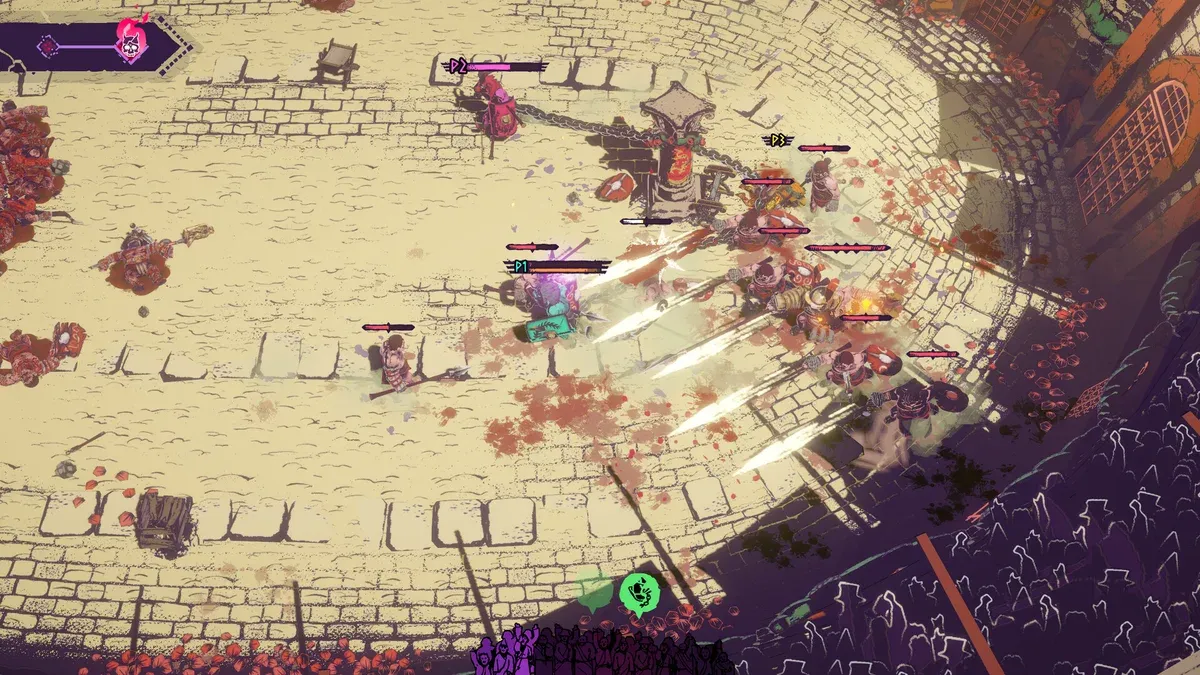
Does Chained Beasts support a controller?
Yes: full controller support is listed on Steam, including support information for PlayStation controllers. The listing also includes Remote Play Together and local co-op. These are separate capabilities: a controller working on your PC does not by itself confirm a particular remote or mixed-input arrangement.
The Steam listing also states that at least one gamepad is required for same-screen co-op. That is a minimum requirement, not a verified matrix of multiple independent keyboards or every possible mixed-input party. For Steam’s translation layer, see Steam Input explained; for a device that stops responding, use the controller diagnostic guide.
Before starting, connect your controller, select the game window and verify menu navigation. If more than one input device is attached, check which device controls each player before entering a fight. Consult the local co-op guide when setting up several players on one system.
Which inputs should you practice first?
Use the tutorial to identify movement, attacks, defensive actions, picking up objects and throwing. Check the prompts for your current build rather than assuming an action shares a button with another game. We deliberately leave exact bindings to the verified in-game screen.
Practice an action in isolation before combining it with movement. Throwing can leave you without a weapon, so learning the input should include learning how you recover afterward. The weapons guide covers that decision.
What if inputs seem wrong on PC?
As a general troubleshooting sequence, confirm the device works outside the game, inspect the game’s controller settings and then check Steam Input configuration. Change one setting at a time so that you can reverse it. These are general diagnostic steps, not a confirmed fix for a specific Chained Beasts bug.
If the problem occurs only in a party, compare solo and local results before treating it as a network issue. Record your platform, device and the exact action that fails when asking the developer for help. Return to the beginner guide once the basics respond consistently.
How should you check inputs before committing to a run?
Use the same device and connection method you intend to use in the arena. A controller that works in a launcher menu has passed only one part of the check. Confirm the game has focus, then test its own menus and tutorial prompts before adding another player or changing several settings.
- Connect the controller and check that the computer or console recognizes it.
- Launch the intended version of Chained Beasts and confirm menu navigation.
- Read the bindings shown by that build; note any difference between displayed prompts and your device.
- Practice movement, an attack, picking up an object and throwing separately.
- Add other players only after the first device responds consistently.
This is a preparation sequence, not a diagnosis of a specific launch issue. If step two works but step four fails, record that distinction rather than saying simply that the controller is broken.
What information makes an input problem easier to diagnose?
| Record | Why it matters |
|---|---|
| Platform and game version | A Demo observation may not describe the full game |
| Controller model and USB or wireless connection | Device support can depend on the connection method |
| Whether menus and gameplay both respond | It separates recognition from an individual action |
| Other connected input devices | It helps identify an assignment or duplicate-input problem |
| Steam Input setting, if applicable | It documents which translation layer was active |
Keep the original configuration so an unsuccessful experiment can be reversed. Do not install unknown controller utilities or delete game files because an unrelated game’s guide recommends it. Exact in-game button assignments belong to the current bindings screen, not an assumed universal layout.
Sources and verification
Checked October 15, 2026 against the sources below. Tactical recommendations are editorial advice, not a claim of hands-on testing. Screenshots are official promotional imagery and may show earlier builds.
See our editorial policy for how we handle evidence and corrections.
Related Articles
beasts
Rhino and Ibex in Chained Beasts: What Is Confirmed?
Rhino and Ibex were added in the official beast rework. See what the announcement confirms and what still needs current in-game verification.
co-op
Chained Beasts Local Co-op and Remote Play Together
Set expectations for Chained Beasts couch co-op, controllers and Steam Remote Play Together without assuming unverified mixed-session support.
co-op
Chained Beasts Multiplayer Guide: Local and Online Co-op
Prepare a Chained Beasts party with the confirmed player count, local and online options, and a practical checklist before joining a run.
Was this helpful?
Thanks for the feedback!